



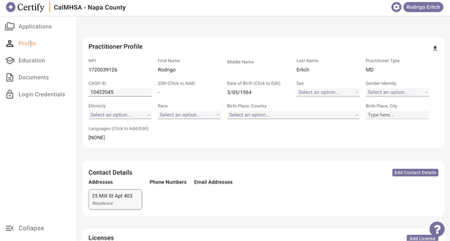
Profile Information:
The Practitioner Profile displays the following information:
-
NPI: The National Provider Identifier. (e.g., "1720089126")
-
CAQH ID: The Council for Affordable Quality Healthcare ID. (e.g., "10422045")
-
First Name: The practitioner's first name. (e.g., "Rodrigo")
-
Middle Name: The practitioner's middle name (if applicable).
-
Last Name: The practitioner's last name. (e.g., "Erlich")
-
Practitioner Type: The practitioner's professional designation. (e.g., "MD")
-
SSN: Social Security Number (Click to Add).
-
Date of Birth: (Click to Edit). (e.g., "3/05/1964")
-
Sex: (Select an option).
-
Gender Identity: (Select an option).
-
Ethnicity: (Select an option).
-
Race: (Select an option).
-
Birth Place, Country: (Select an option).
-
Birth Place, City: (Type here).
-
Languages: (Click to Add/Edit). (e.g., "[NONE]")
Profile Sections:
-
Contact Details:
-
Addresses: Displays a list of addresses.
-
Phone Numbers: (Not populated in the screenshot)
-
Email Addresses: (Not populated in the screenshot)
-
Add Contact Details Button: Allows adding new contact information.
-
-
Licenses:
-
Displays a table of licenses with State, License Type, License Number, Status, Issue Date, and Expiration Date.
-
Add License Button: Allows adding new license information.
-
-
CME (Continuing Medical Education):
-
Display CME Title,Hours, Description, Completion Date, Category 1
-
Add CME Button: Allows adding new CME information.
-
-
References:
-
Displays Add Reference Name, Title Years Known, Institutions/Employer, Address, City State, Zip Fax no., Email Phone
-
Add References Button: Allows adding new reference information.
-
-
Liability Insurance:
-
Displays a list of liability insurance entries with Insurance Company Name, Policy Number, and Effective Date.
-
Add Insurance Button: Allows adding new liability insurance information.
-
-
DEA & CDS Registrations:
-
Allows input of DEA and CDS registration information with State, Number, and Expiration Date.
-
Add DEA & CDS Registration Button: Allows adding new registration information.
-
-
Medicare and Medicaid:
-
Allows input of Medicare and Medicaid information with State and Number.
-
Add Medicare & Medicaid Button: Allows adding new Medicare or Medicaid information.
-
-
Employment:
-
Displays Education Type, Degree Type, Major/Speciality, Institute Name, Institute Address, City State, Country Zip, Start Date End Date Award Date
-
Add Employment Button: Allows adding new employment history information.
-
-
Admitting Privileges & Arrangements:
-
Displays Admission Type, Status, Contact Name, Hospital Name, Department Name, State Country, Start Date Admission Percentage
-
Add Admitting Privileges Button: Allows adding new admitting privileges information.
-
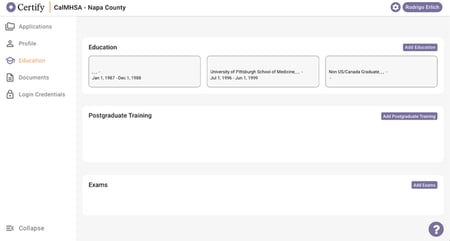
Education section:
-
Displays a list of education entries with Start/End Dates, Institution Name, and Additional Details.
-
Add Education Button: Allows adding new education entries.
Postgraduate Training section:
-
Displays a list of postgrad training entries
-
Add Postgraduate Training Button: Allows adding new postgraduate training entries.
Exams section:
-
Displays a list of exam entries
-
Add Exams Button: Allows adding new exam entries.
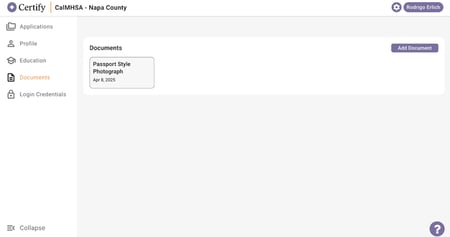
Documents section:
-
Displays a list of uploaded documents with Document Title and Upload Date.
-
Add Document Button: Allows uploading new documents.
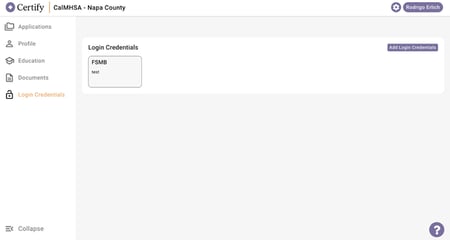
Login Credentials:
-
Displays a list of login credentials with Credential Name and Credential Value/Description.
-
Add Login Credentials Button: Allows adding new login credentials.